Every Solutionflare App
for iPhone and iPad

Six apps, every price listed, every free-tier limit spelled out, and no advertising or analytics SDK in any of them. Start with the comparison table, then jump to whichever one solves your problem.

All six at a glance

Prices are US dollars and set by us; Apple processes every purchase and regional prices vary. Verified August 2026.

Swipe the table sideways to see every column.

Comparison of the six Solutionflare iPhone apps by category, platform, free tier, paid option, and offline behaviour
App What it is Runs on Free tier Paid option Offline
Pentire Paint-by-stickers puzzles from your photos iPhone, iPad · iOS 17+ All 60 puzzles at 3 difficulties, 2 photo puzzles, unlimited generated art Plus: $29.99 once or $4.99/mo Everything, including photo cutting
Chat Local Encrypted texting over Bluetooth mesh, no internet iPhone, iPad · iOS 15+ 2 conversations, 50-character messages, 20-message history Pro: $59.99 once, $29.99/yr or $4.99/mo All messaging; that's the point
Rouse AlarmKit alarms, routines, countdowns, sleep insights iPhone, iPad · iOS 26+ Alarms, timers, 1 voice-coached routine, 2 missions, 10 sounds, 2 countdowns Premium: $59.99 once, $24.99/yr or $2.99/mo All but weather in the briefing
Dogear Speed reading with a comprehension quiz iPhone, iPad · iOS 26+ The whole app None — there is nothing to buy Everything
CalcBoard Up to 8 calculators on one screen iPhone, iPad · iOS 16+ Basic mode, 2 panels, variables, 3 converter categories, last 10 history Premium: $2.99 once Everything — no currency rates to fetch
Scroll Clash Top-down arcade shooter, one-handed iPhone, iPad · iOS 15+ All 100 levels, 6 modes, 20 bosses Admiral: $4.99 once (coin speed only) Everything
None of the six shows ads, ships third-party analytics, or asks for an account. Details: what we don't collect, how the pricing works.
Pentire app icon

Pentire

Paint by Stickers

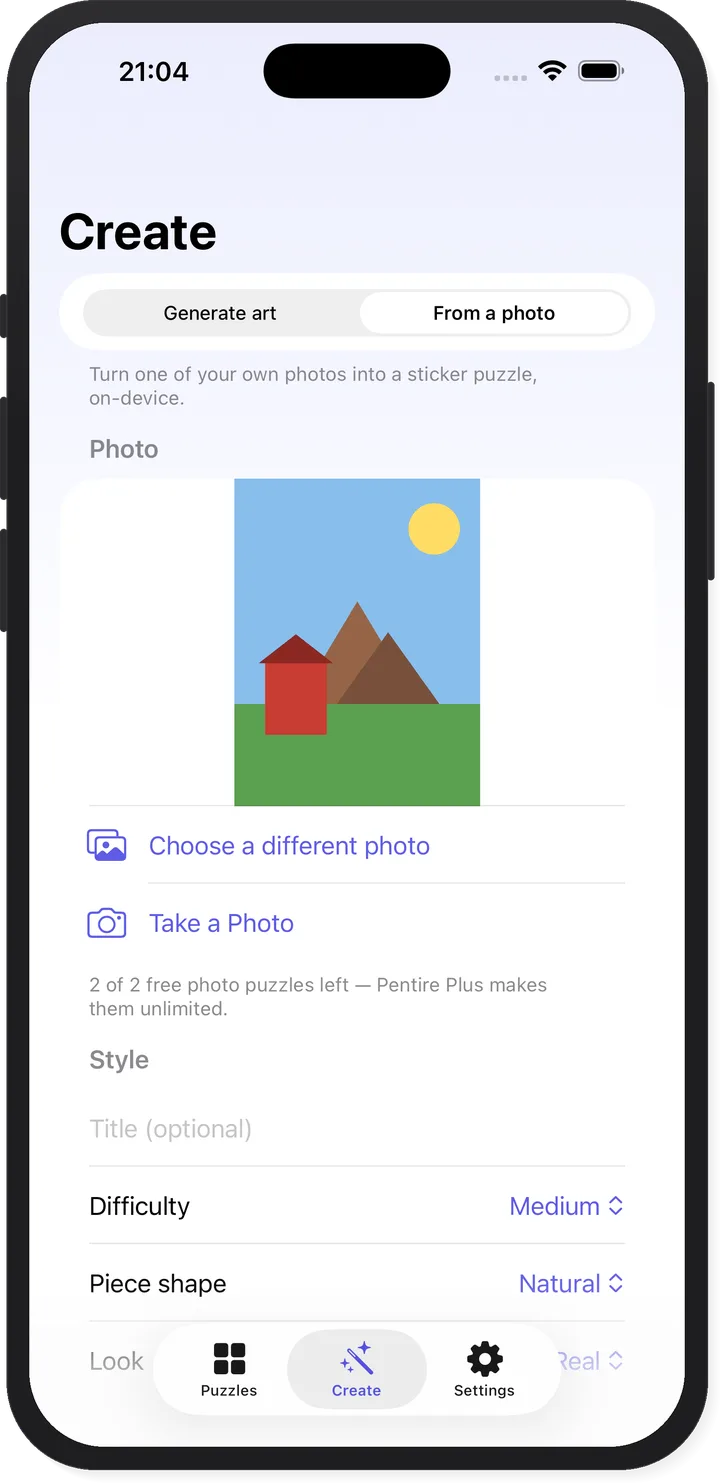
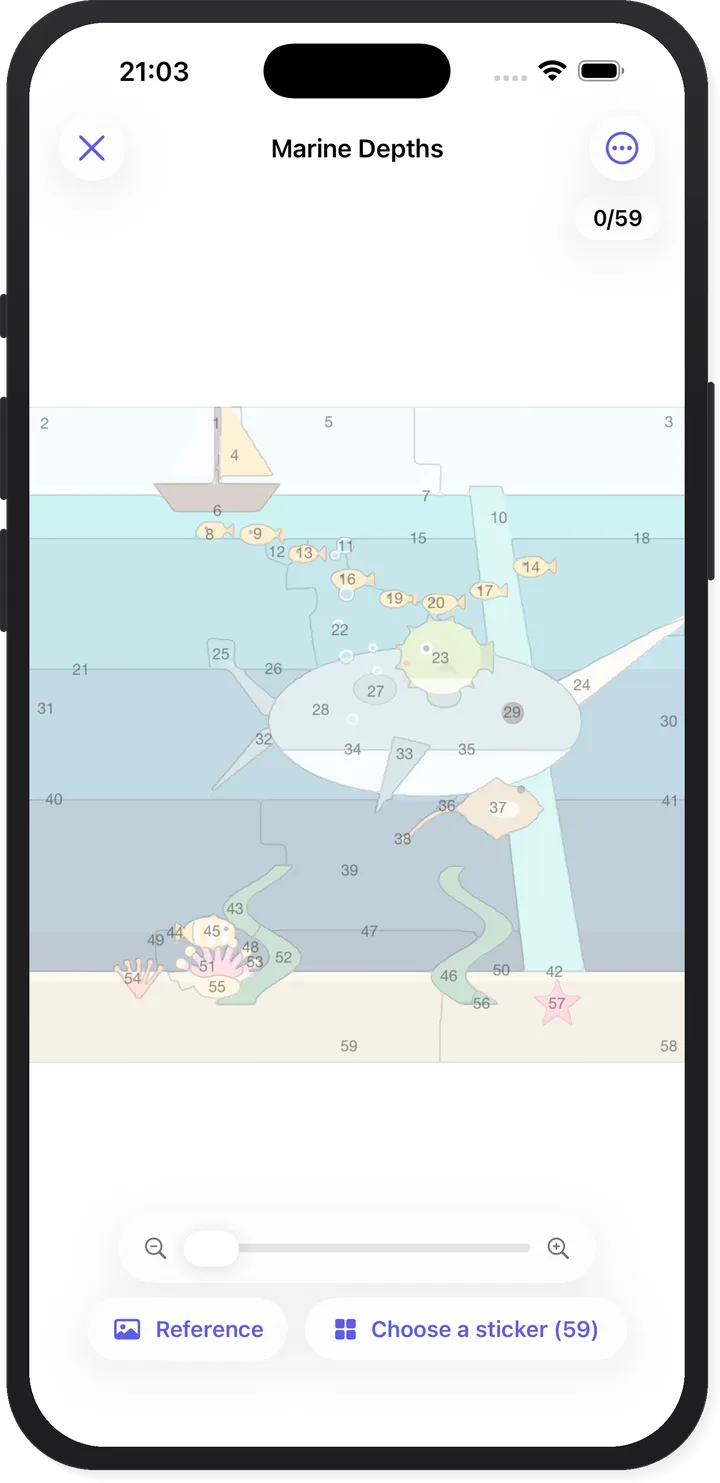
A picture becomes numbered outline slots and a tray of sticker pieces. You peel, rotate, and place until the image comes back.

The part other sticker apps don't do: Pentire cuts your photos. Your dog mid-zoomies, a favourite face, last summer's beach. The cutting runs entirely on your iPhone using Apple's on-device Vision subject masking plus Pentire's own segmentation pipeline — there is no image server, and photo import works in airplane mode, which is the practical proof. If you'd rather not supply a photo, there are 60 original built-in scenes across six collections, an on-device generator that invents new ones on demand, and a Today's Puzzle that is the same pick for every player worldwide.

No timers, no scores, no leaderboards. Hints are unlimited and free. Every cut auto-saves separately, so you can re-cut the same picture at a different difficulty without losing the version you were part-way through.

A Pentire puzzle in progress with the numbered sticker tray Pentire turning a personal photo into a sticker puzzle on-device

What it does

  • Your photos become puzzles — cut on-device; images never leave your iPhone and never reach a server
  • 60 puzzles included — space, ocean, food, farm, landscapes, and abstract collections
  • 80 ways to cut any picture — five difficulties (12 to 220 stickers), four piece shapes, four art looks, all re-selectable at any time
  • Today's Puzzle and streaks — one daily pick worldwide, with shields that quietly cover a missed day
  • Share codes — send a short code and a friend plays the identical puzzle; the code is a recipe, not an upload
  • Calm by construction — no timers, no scores, unlimited free hints, 14 colour themes, automatic per-cut saving

Free vs Pentire Plus

Free: all 60 built-in puzzles at Starter, Easy and Medium; unlimited generated art with 5 saved; 2 photo puzzles; Natural and Squares shapes; Photo and Flat colour looks; share codes, hints, streaks, offline play.

Plus — $29.99 once or $4.99/month: unlimited photo puzzles, Hard and Expert difficulties, Polygon and jigsaw shapes, Cartoon and Pastel looks, all 14 themes, unlimited saved puzzles. There is no free trial; the free tier is the trial.

iPhone & iPad iOS 17+ Age 4+

What it does

  • Bluetooth LE mesh — messages relay through up to five nearby devices, so range extends well past direct Bluetooth
  • No internet, ever — works in airplane mode with Bluetooth on; there is no server to be unreachable
  • Two encryption tiers — AES-256-GCM on every message by default, plus password-derived end-to-end encryption for conversations that need real secrecy
  • Delivery you can verify — each message reports sending, sent, or received by N nearby devices, and says so plainly when nothing was in range
  • Self-healing sends — unacknowledged messages resend automatically until a device confirms receipt
  • QR invites with no signal — any camera app can scan the code; the shareable link is the fallback for people who don't have the app yet
  • No account, no phone number — pick a display name and start; nothing is stored off-device

Free vs Pro

Free: Bluetooth mesh messaging with default encryption, 2 conversations, 50-character messages, 20-message visible history.

Pro — $59.99 once, $29.99/year or $4.99/month: unlimited conversations, 400-character messages, 500-message history, password-protected end-to-end encryption, message search, conversation export, themes and chat backgrounds, per-sender colours, user blocking. The recurring plans include a 7-day free trial.

Honest limits

Default-tier encryption uses keys bundled in the app: it defeats passive radio eavesdropping, but treat it as strong obfuscation, not secrecy. For anything sensitive, use a password-protected conversation — even relaying phones can't read those. Conversation names and display names are broadcast to nearby app users by design, because that is how nearby discovery works, and Bluetooth is detectable radio activity. No app removes physical risk.

iPhone, iPad iOS 15+ Android on the roadmap
Chat Local app icon

Chat Local

Offline Messaging

Text the people near you when there is no WiFi, no cell service, and no internet at all.

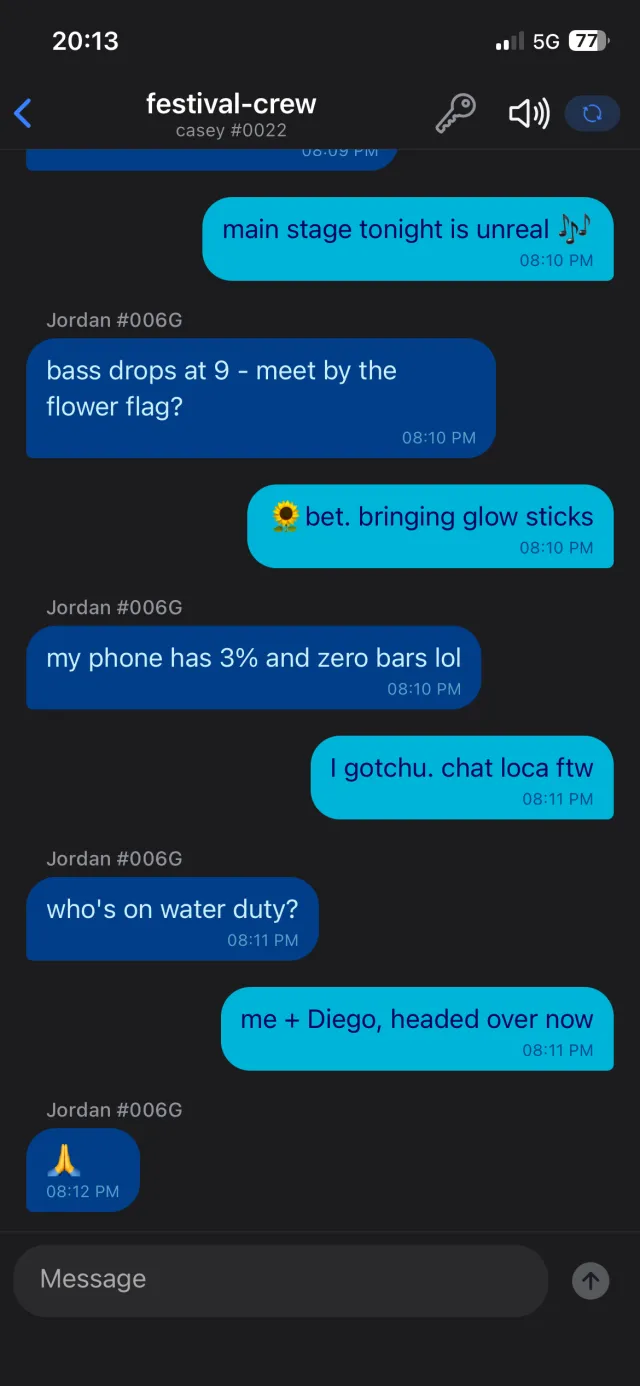
Chat Local turns nearby iPhones into a Bluetooth Low Energy mesh. Your message goes out over the air to whoever is in range, and their phones pass it along — up to five hops — so it reaches people you could never reach directly. There is no server anywhere in that path, which is exactly why it keeps working at Burning Man, in a canyon, on a plane, during a blackout, or when a network is deliberately switched off.

You need a connection for three things and no others: downloading the app, buying or restoring Pro, and opening a shared invite link. The QR-code invite works with no signal at all.

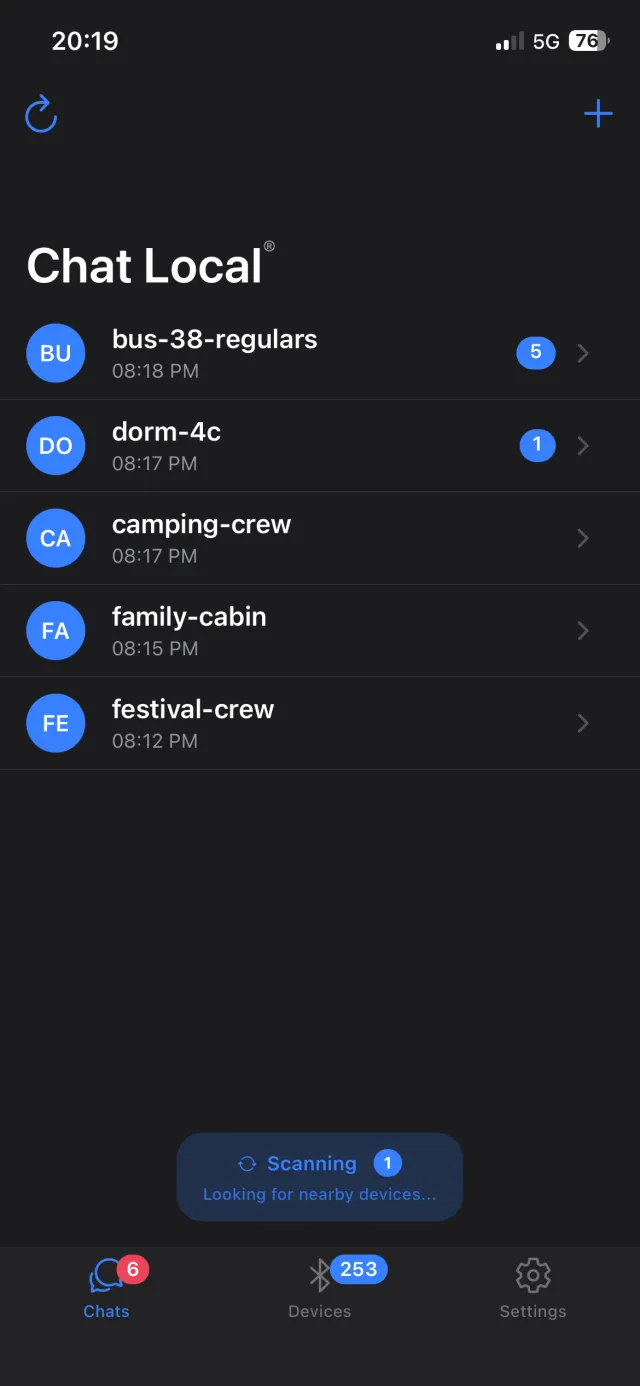
Chat Local encrypted group chat over Bluetooth mesh The Chat Local conversations list showing nearby conversations
Rouse app icon

Rouse

Alarms & Routine Timers

An alarm that Silent Mode cannot mute, Do Not Disturb cannot suppress, and a reboot cannot forget.

Third-party alarm apps have historically fired through iOS notifications, which is why they get swallowed by Silent Mode and Focus. Rouse was built natively on Apple's AlarmKit from its first release, with no notification fallback at all — the same system path the built-in Clock app uses. Since iOS 26, other established apps have started adopting AlarmKit feature by feature; capabilities vary by app and version.

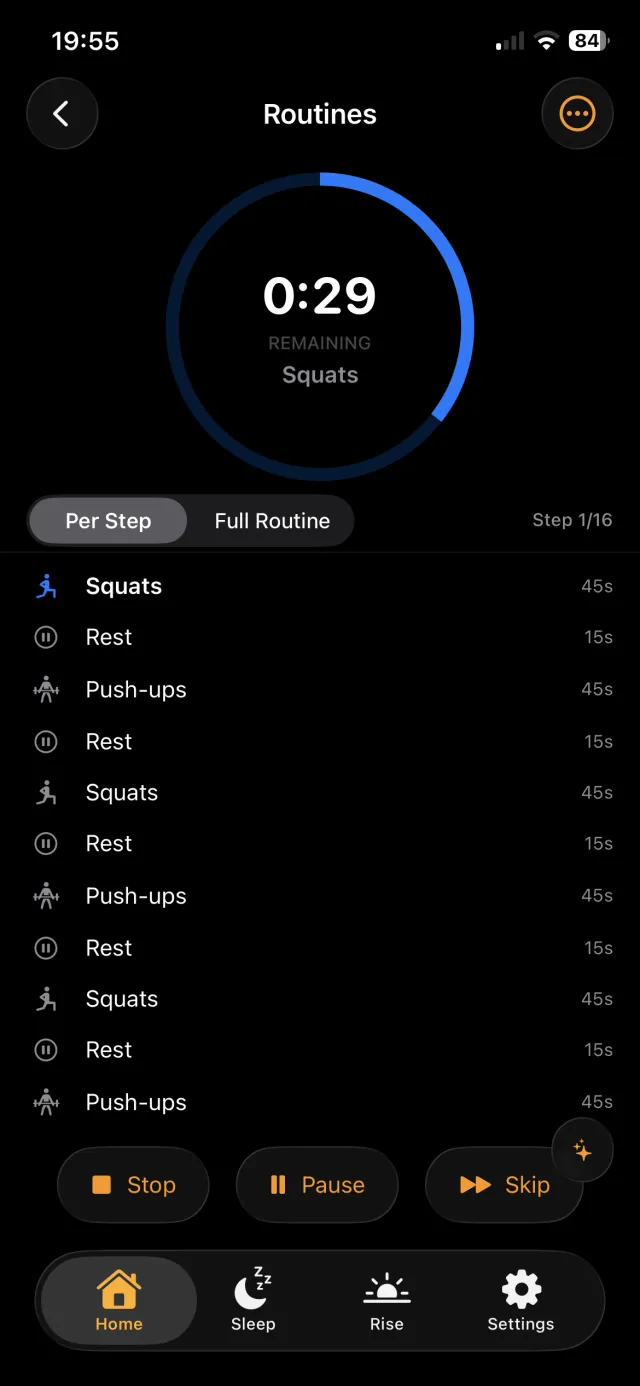
Once it fires, ten wake missions make sure you're actually awake, then voice-coached routines walk you through the morning step by step. It also handles HIIT and Tabata intervals, Pomodoro blocks, milestone countdowns with 31 holiday templates, and nightly sleep insights generated on-device.

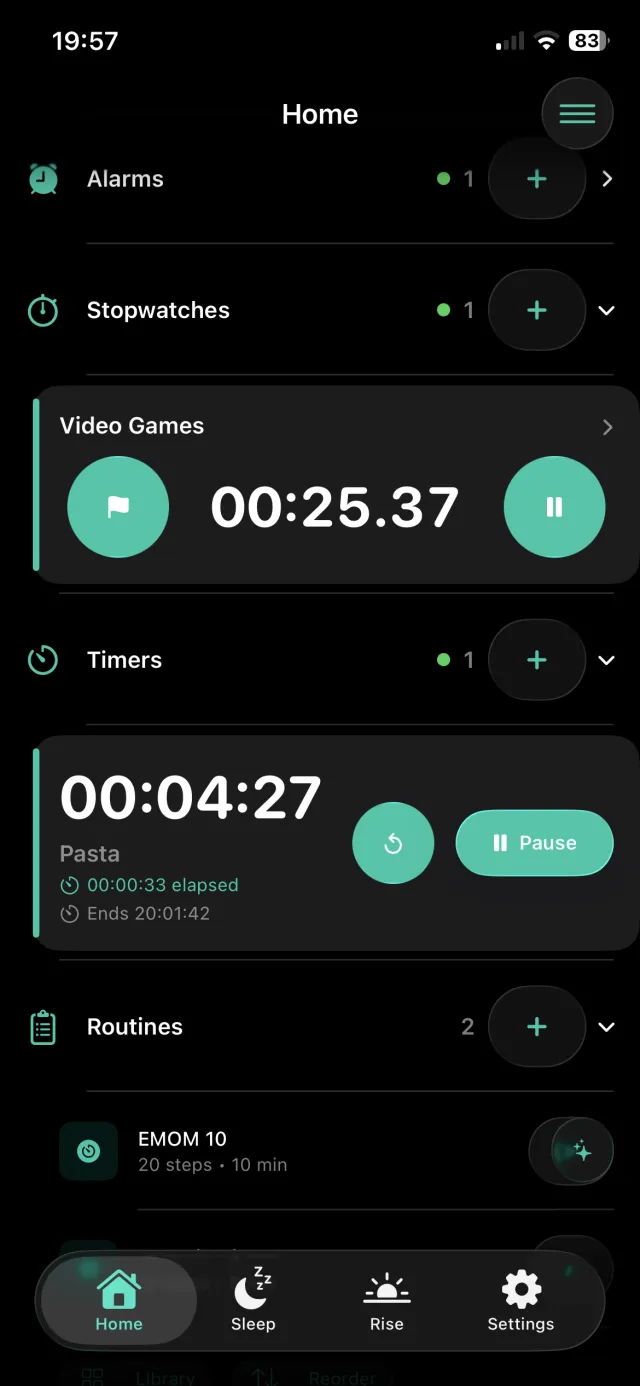
Rouse home screen with alarms, stopwatches, timers, and routines A Rouse timed morning routine with its countdown ring

What it does

  • System-level alarms — AlarmKit scheduling fires through Silent Mode, DND, Focus, force-quit, and restarts
  • 10 wake missions — math, shake, QR scan, pattern, sliding puzzle, typing, photo, steps, rotation, language; chain them together
  • Voice-coached routines — 22 presets across 7 categories, with repeat groups for HIIT, Tabata, EMOM, and Pomodoro
  • Milestone countdowns — 31 holiday templates, recurrence, streak tracking, and auto-flip so a due-date countdown becomes the baby's age
  • On-device sleep insights — nightly analysis and reports through Apple Foundation Models; nothing leaves the phone
  • 46+ sounds and 13 clock faces — escalating alarms, eight noise generators, and a bedside StandBy display
  • No account — accounts were removed entirely; there is nothing to sign into and nothing to delete

Free vs Premium

Free: alarms that beat Silent Mode, timers, 2 stopwatches, one fully voice-coached 5-step routine, Math and Shake missions, 10 alarm sounds, the bedside clock, 2 countdowns, widgets, Siri, streaks and scores.

Premium — $59.99 once, $24.99/year or $2.99/month: unlimited playable routines and steps, repeat groups, unlimited countdowns, all 10 missions and unlimited chains, 46+ sounds, Smart Alarm, on-device sleep insights, custom themes. The annual plan includes a one-week free trial.

iPhone & iPad iOS 26+ No Apple Watch app

What it does

  • Comprehension-safe speed — the fastest pace at which you still scored 80% or better, tracked over time
  • A quiz after every passage — multiple choice, generated from the exact text you just read, with per-answer explanations
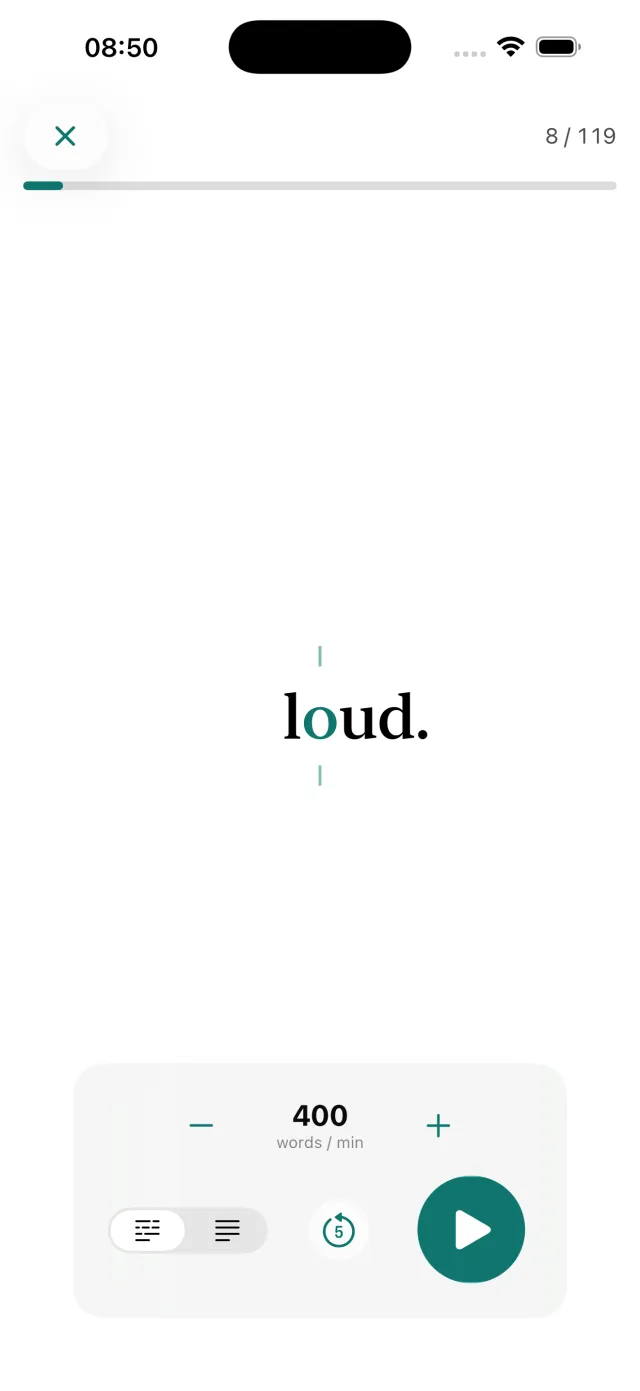
  • Two pacing modes — RSVP word-by-word with optimal-recognition-point alignment, or a calm guided highlight sweep
  • 100 to 900 wpm — adjustable mid-read, with a scrubber, instant rewind, and punctuation-aware pacing
  • Read anything — paste from the clipboard, use a bundled passage, or generate a fresh one on-device
  • Reading comfort — font and size choice, bionic-style bold word starts, pause-at-punctuation, pivot guides, haptics
  • Progress that shows the trade-off — charts plot pace and comprehension on the same timeline, so speed gains can't hide a drop

Price

Free, in full. No ads, no subscription, no in-app purchases, no account. Its App Store privacy label is "Data Not Collected". Generated passages and quizzes need an Apple Intelligence-capable iPhone (iPhone 15 Pro or newer); on other devices Dogear uses bundled passages that each ship with a real, hand-built quiz, and you can still paste and read anything.

iPhone, iPad iOS 26+ Nothing to buy
Dogear app icon

Dogear

Read & Retain

A speed-reading trainer that refuses to promise 1,000 words a minute, because the research doesn't support it.

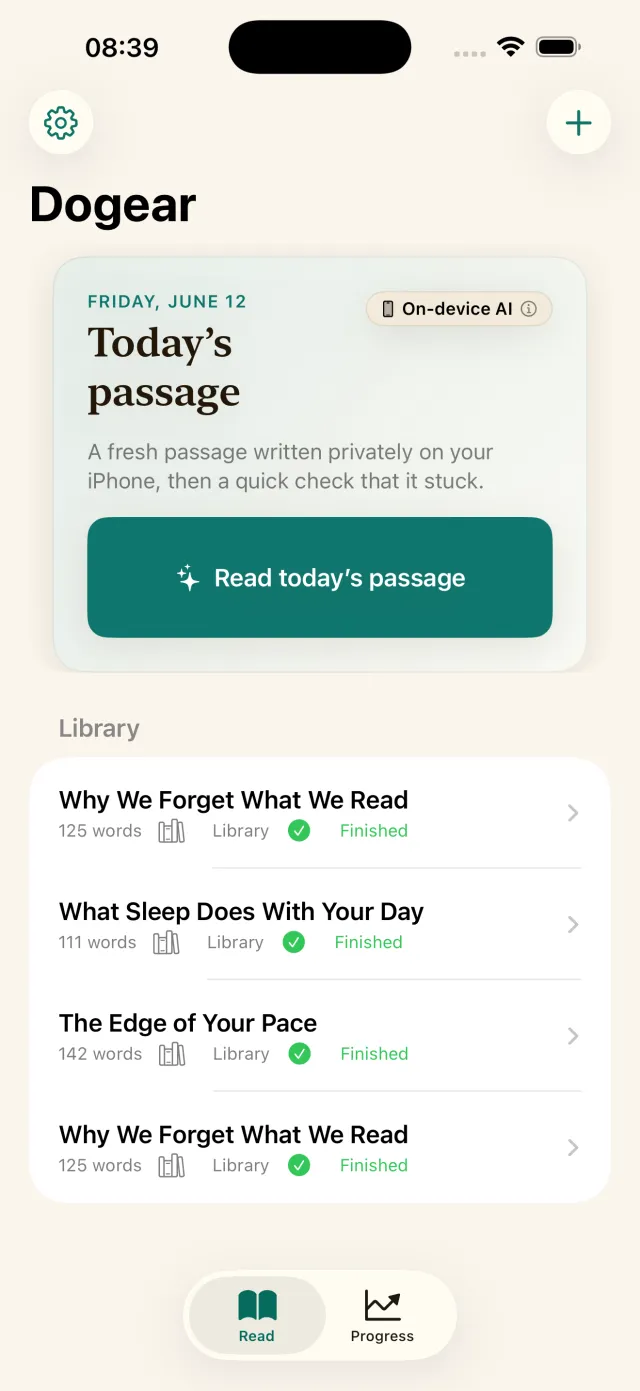
Skilled adults read roughly 200–400 wpm, and past about 500 wpm comprehension measurably drops — at that point you're skimming, not reading. Most speed-reading apps measure only the speed half of that trade-off. Dogear measures both: after every passage it generates a short multiple-choice quiz from that exact text, scores it, explains each answer, and always shows retention next to pace.

The number it's training you toward is your comprehension-safe speed — the fastest pace at which you still scored 80% or better. It's a smaller number than the marketing claims, and it's a real one. Everything runs through Apple's on-device foundation model, so nothing you read leaves your iPhone.

Dogear home screen with a generated passage and reading library The Dogear RSVP reader pacing one word at a time

What it does

  • Up to 8 panels at once — each with its own mode, expression, result, and undo history
  • Four modes per panel — basic, scientific (DEG/RAD, factorials, powers), programmer (BIN/OCT/DEC/HEX with bitwise ops), and unit converter
  • Values that move — push a result to the shared tray and pull it into any panel, or assign a named variable that every panel can use
  • Exact decimal math — arbitrary precision, so 0.1 + 0.2 is 0.3 and not 0.30000000000000004
  • 10 converter categories, 79 units — deliberately no currency conversion, so nothing goes stale and nothing needs a network
  • History that's searchable — bookmarks, custom labels, and CSV export
  • Real accessibility — VoiceOver labels on every key including bitwise operators, 48×48pt targets, WCAG AA contrast

Free vs Premium

Free: basic mode, 2 panels, named variables, length/mass/temperature conversion, last 10 history entries, bookmarks and labels, Control Center launch, keyboard support. No ads and no trial clock.

Premium — $2.99 once, forever: scientific and programmer modes, panels 3 through 8, the shared value tray, all 10 converter categories, full searchable history with CSV export, all themes and button styles. Non-consumable, Family Sharing supported, all future updates included.

iPhone & iPad iOS 16+ No subscription
CalcBoard app icon

CalcBoard

Multi Calculator

Every phone calculator shows one calculation at a time. That is the whole problem.

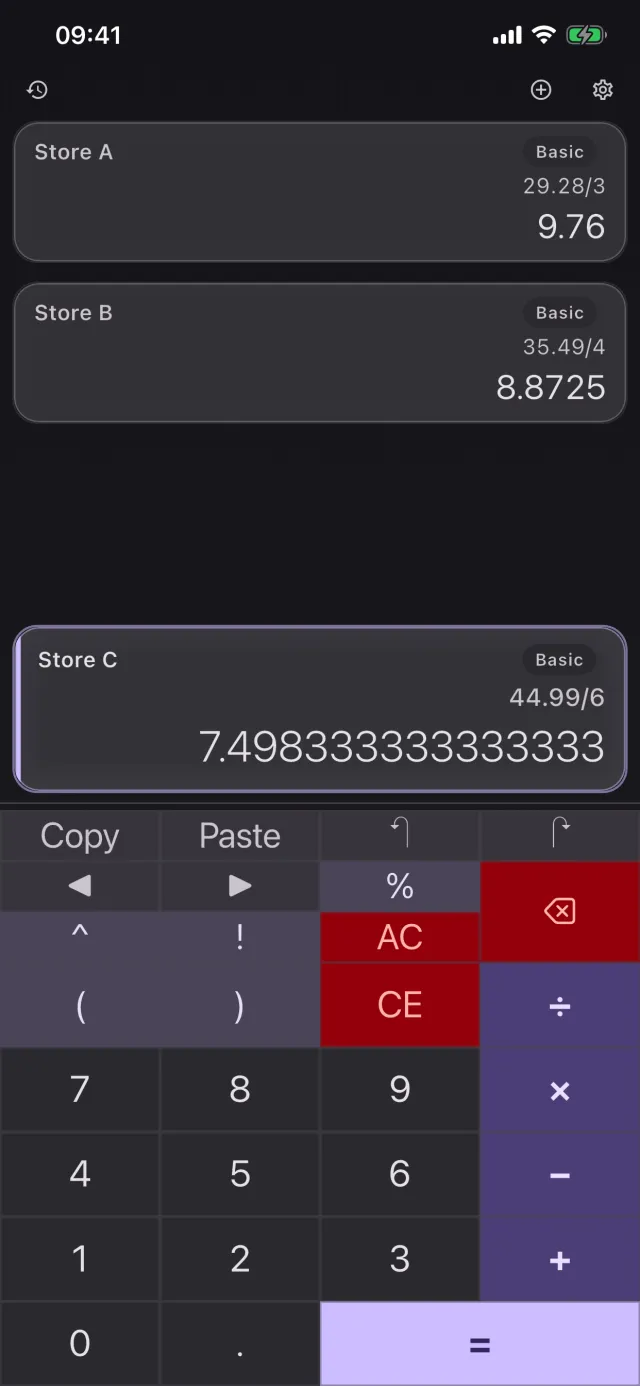
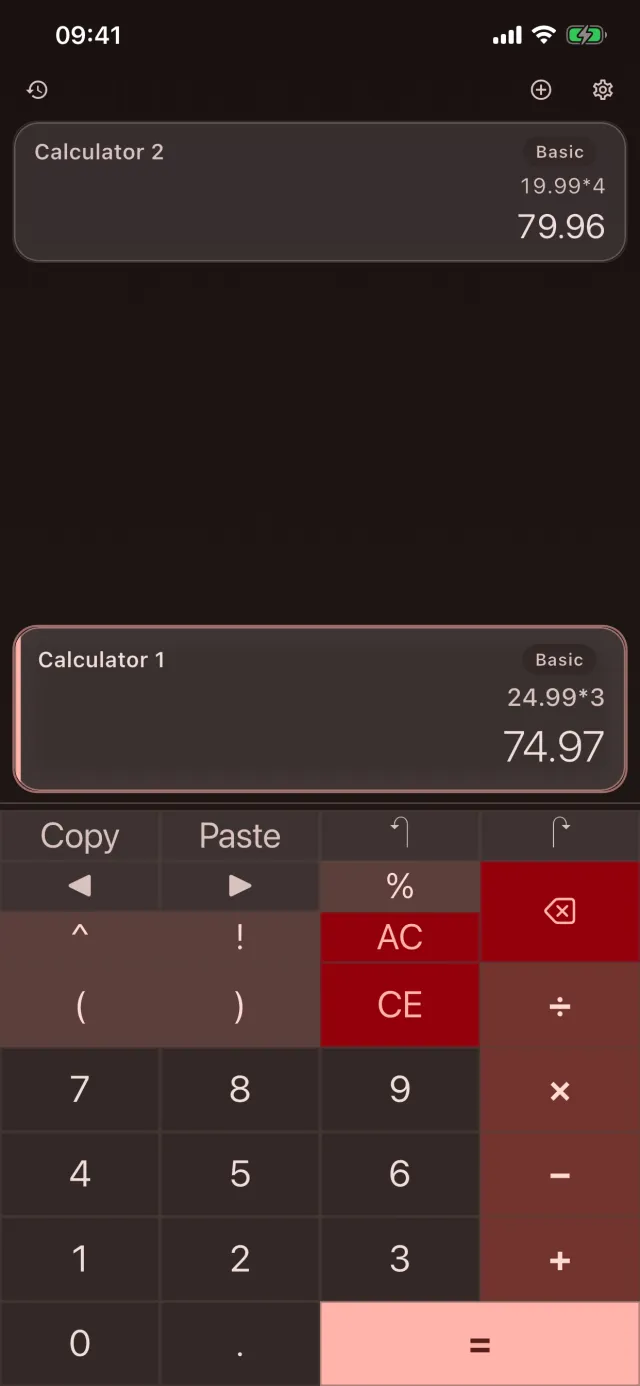
Comparing two prices, checking your own work, or converting a unit then computing with it means memorising an intermediate result or writing it down. CalcBoard's answer is panels: independent calculators running side by side, each in whatever mode it needs. Push a result into the shared tray and pull it into another panel, or set tax=0.0825 once and use it everywhere.

Arithmetic is exact decimal rather than binary floating point, so the classic 0.1 + 0.2 problem simply doesn't occur. There is deliberately no currency conversion — rates go stale and need a network, and CalcBoard is built to work without one.

CalcBoard running three calculator panels side by side CalcBoard multi-panel view with two independent calculations
Scroll Clash app icon

Scroll Clash

Top-Down Arcade Shooter

The gameplay in the screenshots is the gameplay in the game. That should not be a feature, and yet.

You command a squad that auto-fires at waves marching down a perspective road, dragging left and right in portrait with one hand. The decision that makes it a game rather than a screensaver: powerups sit behind destructible wooden barriers, so every few seconds you choose between killing what's shooting at you and diverting fire to unlock an upgrade.

100 campaign levels across 8 environments — street, city, bridge, ghost town, desert, spaceship, night city, creepy hallway — plus 20 bosses in Boss Rush and an endless Survival mode. All of it free. Version 2.0 removed the old subscriptions and coin packs entirely; players who had bought them keep their benefits at no further charge.

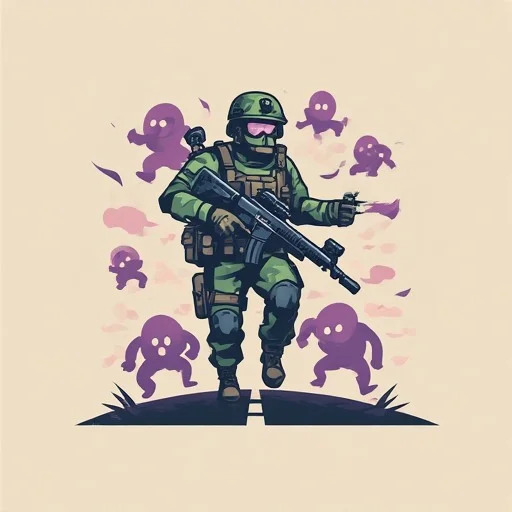
Scroll Clash soldier artwork

What it does

  • 100 campaign levels — across 8 themed environments, with a 1–3 star rating based on accuracy
  • 20 boss battles — plus a dedicated Boss Rush mode with scaling difficulty
  • 6 game modes — Classic, Chaos, Tactical, Random, endless Survival, and Boss Rush
  • Powerup barriers — the risk/reward mechanic that keeps auto-fire from playing itself
  • 4 weapons, 4 boosts, 6 skins — Basic, Spread, Rapid, Laser; Shield, Power Shot, Rapid Fire, Magnet
  • One-handed portrait play — drag to move, auto-fire; designed for a bus seat
  • Fully offline — no connection needed to play at all, and the unlock keeps working offline because it isn't a subscription

What you can and can't buy

Free: every level, every mode, every boss, every theme. Nothing is gated.

Admiral unlock — $4.99 once: a permanent 7× multiplier on coins earned from levels plus +80 coins per daily check-in. Coins buy tactical boosts. It unlocks no content whatsoever. There are no coin packs, gems, energy, lives, continues, loot boxes, or battle passes — no consumable purchases exist in the app.

iPhone & iPad iOS 15+ Rated 4+

Questions about the apps

Which one should I start with?

Pick by the problem. Sleeping through alarms → Rouse. Going somewhere with no signal → install Chat Local before you leave. Want a calm hobby → Pentire. Read for work → Dogear, which is free with nothing to buy. Juggling numbers → CalcBoard. Want a shooter that stays a shooter → Scroll Clash.

How much do Solutionflare apps cost?

All six are free to download. Dogear costs nothing at all and has no in-app purchases. CalcBoard Premium is $2.99 once. Scroll Clash's optional Admiral unlock is $4.99 once and unlocks no content. Pentire Plus is $29.99 once or $4.99 per month. Rouse Premium is $59.99 once, $24.99 per year, or $2.99 per month. Chat Local Pro is $59.99 once, $29.99 per year, or $4.99 per month. Prices are US dollars and vary by region; Apple processes every purchase. Break-even math for each lifetime option.

Do the free tiers actually do anything, or are they demos?

They are usable products. Scroll Clash gives away all 100 levels, all 6 modes, and all 20 bosses. Dogear has no paid tier at all. Pentire's free tier includes all 60 built-in puzzles at three difficulties plus unlimited on-device art generation. Rouse's free tier includes Silent Mode-proof alarms, timers, a fully voice-coached routine, a bedside clock, and two countdowns. CalcBoard is free with two panels and three converter categories. Chat Local is free for two conversations with 50-character messages.

Do any of them require an account?

None. No sign-up, no email, no phone number, no profile, in any of the six. Purchases attach to your Apple ID and restore through the App Store, so there is nothing to log into and nothing to delete.

Which ones work on iPad?

All six apps run on iPhone and iPad. CalcBoard also runs on Apple Silicon Macs and Apple Vision through iPad compatibility, and supports iPadOS Split View plus pointer and trackpad input.

Why do Rouse and Dogear require iOS 26?

Both depend on frameworks that only exist there. Rouse schedules every alarm and timer through AlarmKit, which is exactly what lets its alarms survive Silent Mode and restarts — there is no notification fallback to run on older iOS. Dogear generates passages and quizzes with Apple's on-device foundation model. The other four run much further back: Chat Local and Scroll Clash from iOS 15, CalcBoard from iOS 16, Pentire from iOS 17.

Can I try a paid feature before buying?

It varies, and we'd rather say so than imply otherwise. Pentire has no free trial — the free tier is the trial. Rouse's annual plan includes a one-week free trial, and premium themes preview for 15 seconds in-app. Chat Local's monthly and yearly plans include a seven-day trial, and locked themes, backgrounds and sender colours preview in-app. CalcBoard shows live previews of locked themes, but its $2.99 unlock has no trial. Scroll Clash's unlock gates no content, so there is nothing to try.

Is Pentire related to Pentire Drinks or the Paint by Sticker books?

No. Pentire: Paint by Stickers is an iPhone and iPad puzzle app by Solutionflare, pronounced "pain-tee-ray". It has no affiliation with Pentire Drinks, the UK non-alcoholic spirits brand, with Pentair pool equipment, or with Workman Publishing's physical Paint by Sticker books. The books are excellent and have no official app; Pentire is the same hobby digitally, with pages that never run out.

Are there Android versions?

Not today. All six are iOS apps. Chat Local lists Android on its roadmap; the others have no announced Android plans.
Want the same thing built for you?

We take client projects too — iOS apps, web platforms, and internal tools — with the same engineering that went into these six.